Hand guide
Every hand position, in order.
In MaxiMouse your right hand is the mouse and your left hand moves 3D models, with your gloves on. A webcam sees both hands. Here is each move, from the first wave to letting go.
Right hand
From wave to click.
- 1

Wave
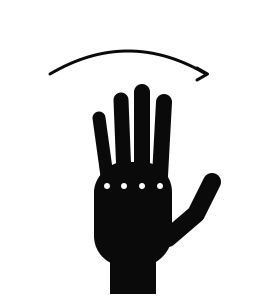
Wave to take the mouse
Hold your hand up and wave side to side. MaxiMouse ignores every hand until one waves.
- 2
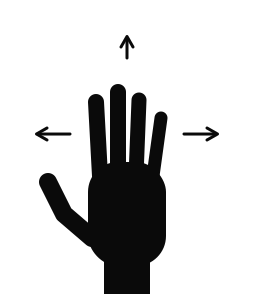
Move
Lead with your palm
The cursor follows your whole hand. Keep your fingers open and move your palm.
- 3
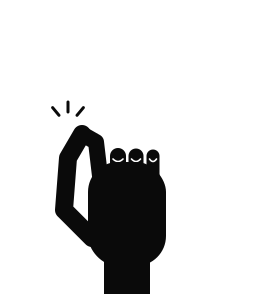
Click
Tap index to thumb
Touch your index fingertip to your thumb and let go. A quick tap clicks.
- 4
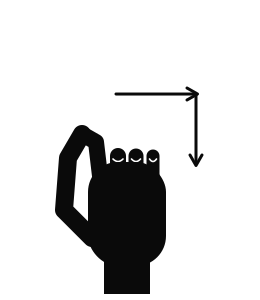
Drag
Hold the pinch and move
Keep index and thumb together while you move your hand. Open them to drop.
- 5
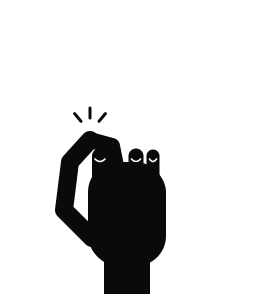
Right click
Tap middle to thumb
Touch your middle fingertip to your thumb for a right click.
- 6
Let go
Turn your hand over
Show the back of your hand for about a second, or lower it out of view. The mouse is free again; a wave takes it back.
Fine control
Slow down for small targets.
Bring your index finger toward your thumb and the cursor slows. The closer they get, the slower it goes, so closing in on a click is also closing in on the target.
Open your fingers and the cursor slides back under your hand, so the whole screen stays in reach.
Left hand
Scroll, grab, dictate.
Scroll
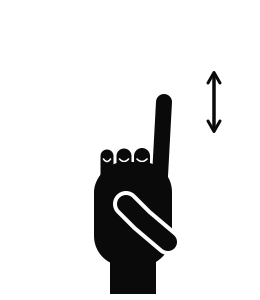
Point your index finger
Curl your other fingers. Swipe up or down; a quick swipe keeps going.
Grab
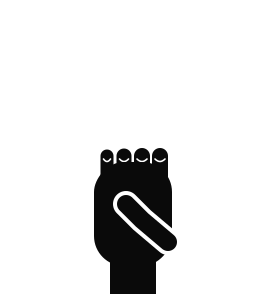
Make a fist
Hold a 3D model with your other hand. Move, turn or pull it toward you; open your hand to let go.
Dictate
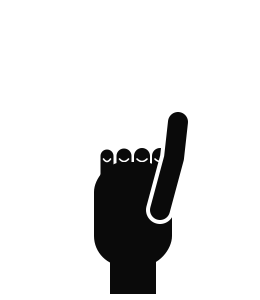
Thumbs up
Starts and stops dictation into the field in front of you.